

Over 63% of consumers read Google reviews before choosing a business, and 85% walked away from one last year because of negative reviews. Meanwhile, your own reviews are spread across Google, Facebook, industry sites, and marketplaces, and nobody has time to check them all every day. A few missed reviews can quietly cost you customers. Here are 8 review management tools worth considering to collect, monitor, and respond to customer reviews from one place.
What a review management software does
Review management software collects, monitors, and responds to customer reviews across multiple sites from one dashboard. It replaces the daily routine of logging in to Google Business Profile, Facebook, Yelp, and industry sites one at a time.
Most platforms cover five jobs:
- Monitoring: Pulls reviews from connected sites into one feed and alerts you when a new one arrives.
- Collection: Sends review requests by email, SMS, or QR code after a purchase or service visit.
- Response: Lets you reply to reviews from the dashboard, often with templates or AI-drafted replies.
- Analytics: Tracks ratings over time and groups review comments into themes, such as wait times or product quality.
- Display: Shows your best reviews on your website through widgets.
The platforms differ in which jobs they handle best. A multi-location clinic needs location-level monitoring and permissions. An online store needs product reviews, photo and video reviews, and star ratings in Google Shopping. While a consumer brand that sells through retailers may need its reviews to appear on retailer sites. The platforms mentioned below cover each of these situations.
Why businesses rely on review software today
The numbers tell a compelling story. About 88% of consumers check online reviews before buying. Review management has become vital for business success in 2026.
Customer trust and credibility matter more than ever. Studies show 83% of people trust their friends' recommendations, and over 70% find them more reliable than traditional ads. Using customer review management software helps you control word-of-mouth marketing at scale
Money talks. A Harvard Business School study revealed businesses can increase revenue by 5-9% with just a one-star rating improvement. Research shows 85% of consumers avoided businesses with negative reviews last year. Your ability to manage your reputation affects your bottom line.
Your team saves valuable time. A review management system puts all your feedback in one dashboard instead of manually checking different review sites. This frees up your team to focus on important tasks while catching every piece of customer feedback.
Search rankings in 2026's competitive market depend heavily on review performance, and with LLMs in the mix, it's going to get even more competitive. Google's algorithms (especially the AIO feature) look at review quantity, frequency, and ratings to determine local search rankings. A review tracking software helps you manage your reputation and improve your online visibility.
Reviews also serve as great market research tools. With the right software equipped in your tech stack, you can learn about customer problems, product improvements, and ways to beat competitors without expensive studies. This feedback from customers gives practical information to guide your business decisions and improve operations.
How We Tested These Tools Over 90 Days
Testing review management software goes beyond just checking features and clicking buttons. We put these tools through their paces in real businesses for 90 days straight. This hands-on testing helped us learn what these tools can and can't do when used day after day.
Testing methodology and business context
Our team tested each review management system with three different businesses: a retail chain with multiple locations, a single-location service provider, and an online-only store. This mix of businesses helped ensure our results would work for companies of all types.
We kept the testing fair by setting up the same conditions for all platforms. Each system got the same historical review data at the start. We set up matching user permissions and notifications. The response templates were also kept the same to test automation features properly. We also looked at how easy each platform was to use. Team members tracked specific metrics and rated things like dashboard navigation and report creation. They used standard forms to record their experiences, which helped remove personal bias.
The results showed that companies using good review software earned up to 35% more revenue. This is a big deal as it means that proper review management pays off, and picking the right tool really matters.
Metrics we tracked: response time, review volume, sentiment
Quick responses stood out as key to success. Customers love fast replies, so we checked how quickly each platform spotted new reviews and helped send responses. Some platforms sent alerts right away, while others took over 30 minutes when things got busy.
We kept track of these numbers:
- Total reviews each platform collected
- How many review requests got responses (about 20% across platforms)
- Where reviews came from (Google, Facebook, industry sites)
- Which methods worked best (email, SMS, QR code)
The platforms handled sentiment analysis quite differently. The best review tracking software doesn't just spot good or bad comments - it points out specific things customers like or dislike. We checked how well each platform organized these feelings into useful dashboard data.
The top platforms did more than just sort reviews as good or bad. They grouped feedback into detailed categories showing what customers think, feel, and plan to do. This detailed insight really helps businesses make smart choices based on review data.
Our research showed that 97% of online buyers say reviews shape their buying choices. Also, 88% trust online reviews as much as tips from friends. These numbers show why businesses need review management software that doesn't just collect feedback but helps put it to good use.
Over our 90-day test, we measured how well each platform spotted trends, caught problems early, and turned raw data into clear business insights. Each platform had its own way of showing insights through custom dashboards and automated reports.
By watching these metrics across all platforms for three months, we learned which review management software really makes a difference beyond just fancy features and marketing promises.
The best review management software companies: A comparison
Platform | Best For | Key Strength | Price Range |
|---|---|---|---|
Feedback-led review collection | Surveys that route happy customers to review sites | Contact for pricing | |
| Birdeye | Multi-location businesses | Location-level dashboards and permissions | Contact for pricing |
Brands selling through retailers | Review syndication to retailer sites | Contact for pricing | |
eCommerce | Google Licenses Partner for seller and product ratings | Starts at $29/month | |
Home Service Businesses | Review requests triggered on job completion | Contact for personalized pricing based on industry | |
Enterprises that need social media reputation management | Listening across social, news, and review sites | Contact for pricing | |
| Feefo | Purchase-verified reviews | Invite-only reviews from confirmed customers | Starts at £149/month |
Small businesses and startups | Free plan for displaying Google reviews | Starts at $29/month |
1. SurveySparrow: Best for multi-channel review management
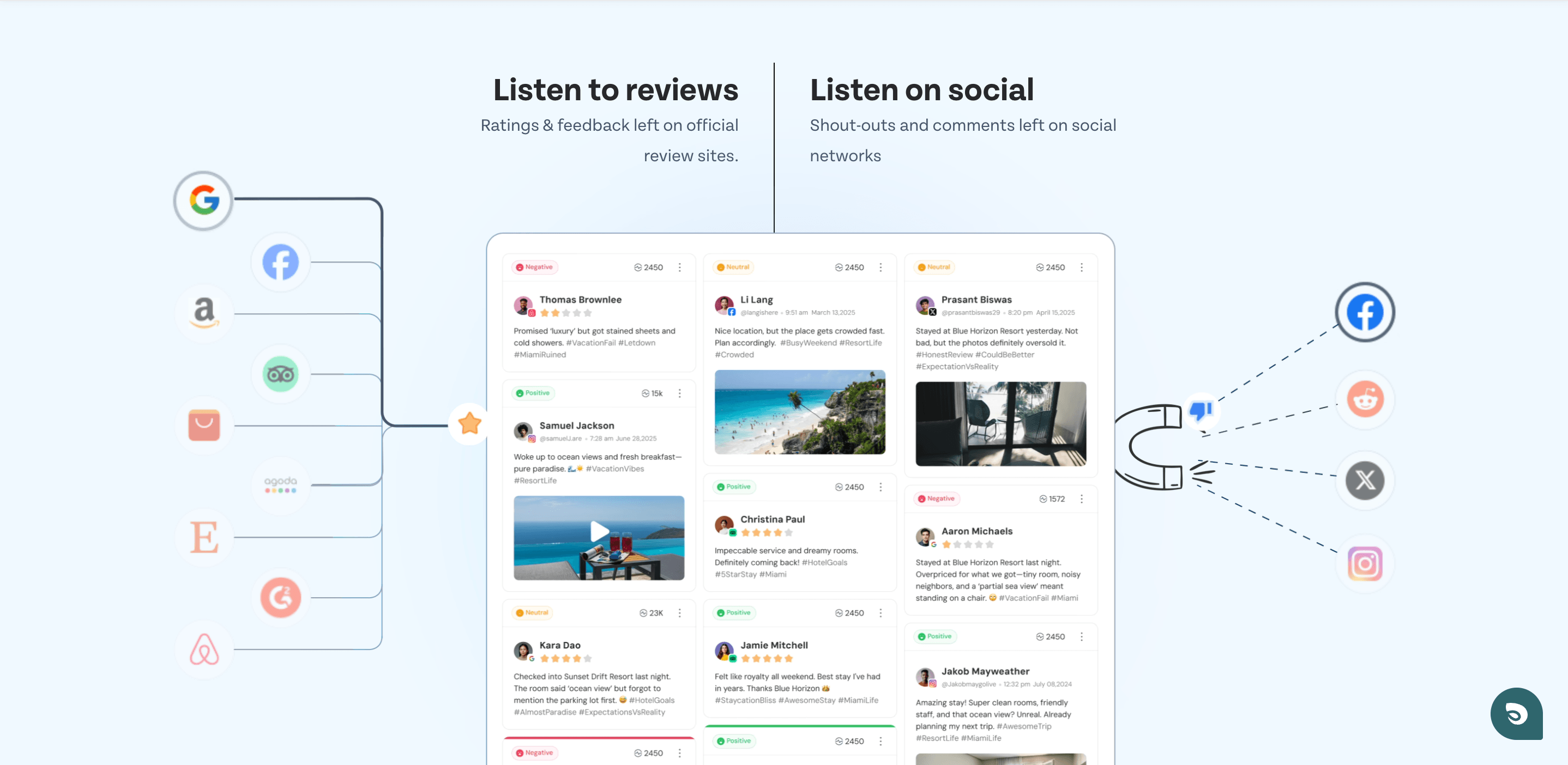
SurveySparrow is a good choice for businesses that want to collect both customer feedback and online reviews at one place. Its chat-like interface boosted participation rates for many of their customers by 40% compared to standard surveys. The platform makes review collection feel natural to customers.
Multi-platform review aggregation with centralized dashboard
SurveySparrow's centralized review management system brings together feedback from over 100 review platforms efficiently. This reliable aggregation saves 15-20 hours weekly on review monitoring since you don't need to check multiple sites daily. You can see all your review channels in one place, so no customer feedback gets missed.
The platform's analytics let you identify trends, track reputation changes, and monitor how all your business locations perform. You'll find patterns in customer feedback through clear visualizations on the dashboard. The system lets you filter and cross-tabulate data to create custom reports ready for PDF export.
Companies with multiple locations will find the location-specific monitoring valuable. The system sends reviews to team members based on custom processes, which makes management simpler.
AI-driven sentiment analysis and automated response generation
SurveySparrow does more than label reviews as positive or negative. The system detects user emotions automatically, spots trends in large feedback volumes, and tags common themes without human input. This shows how deep a sentiment reveals the perceptions behind customer feedback.
The AI response generation feature impressed us. You can create individual-specific responses that address customer concerns with one click. On top of that, it has pre-saved response templates for common scenarios. Businesses can respond to 45-50% of reviews automatically while keeping responses personal.
Looking to simplify your review management process? Try SurveySparrow's review monitoring tool and see how its AI-powered system turns scattered feedback into analytical insights while saving your team time.
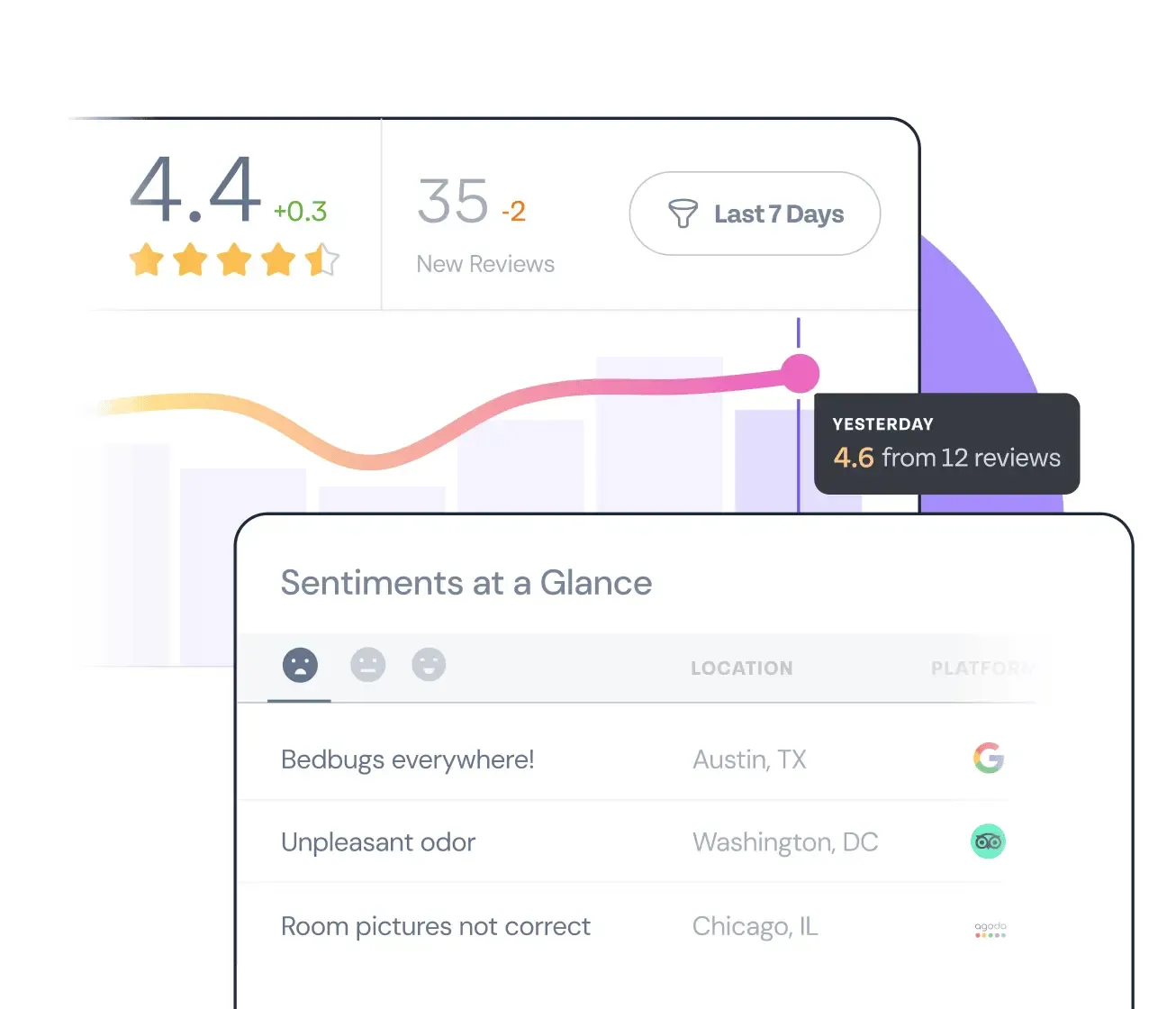
The platform's workflow automation works well. Custom triggers based on customer responses help route negative feedback to support teams and showcase positive reviews on your website. These automated alerts help prevent reputation issues before they grow.
Pricing structure and cost considerations
SurveySparrow's pricing scales with your business needs. The Basic Survey Plan starts at $19 monthly and has 2,500 responses. You'll pay around USD 39.00 per month for the Starter plan with 15,000 responses and extra features.
Social and Reviews Plan: Contact for a custom quote.

Start collecting customer feedback and reviews, all at one place.
A personalized walkthrough by our experts. No strings attached!
2. Birdeye: Best for Multi-Location Review Management
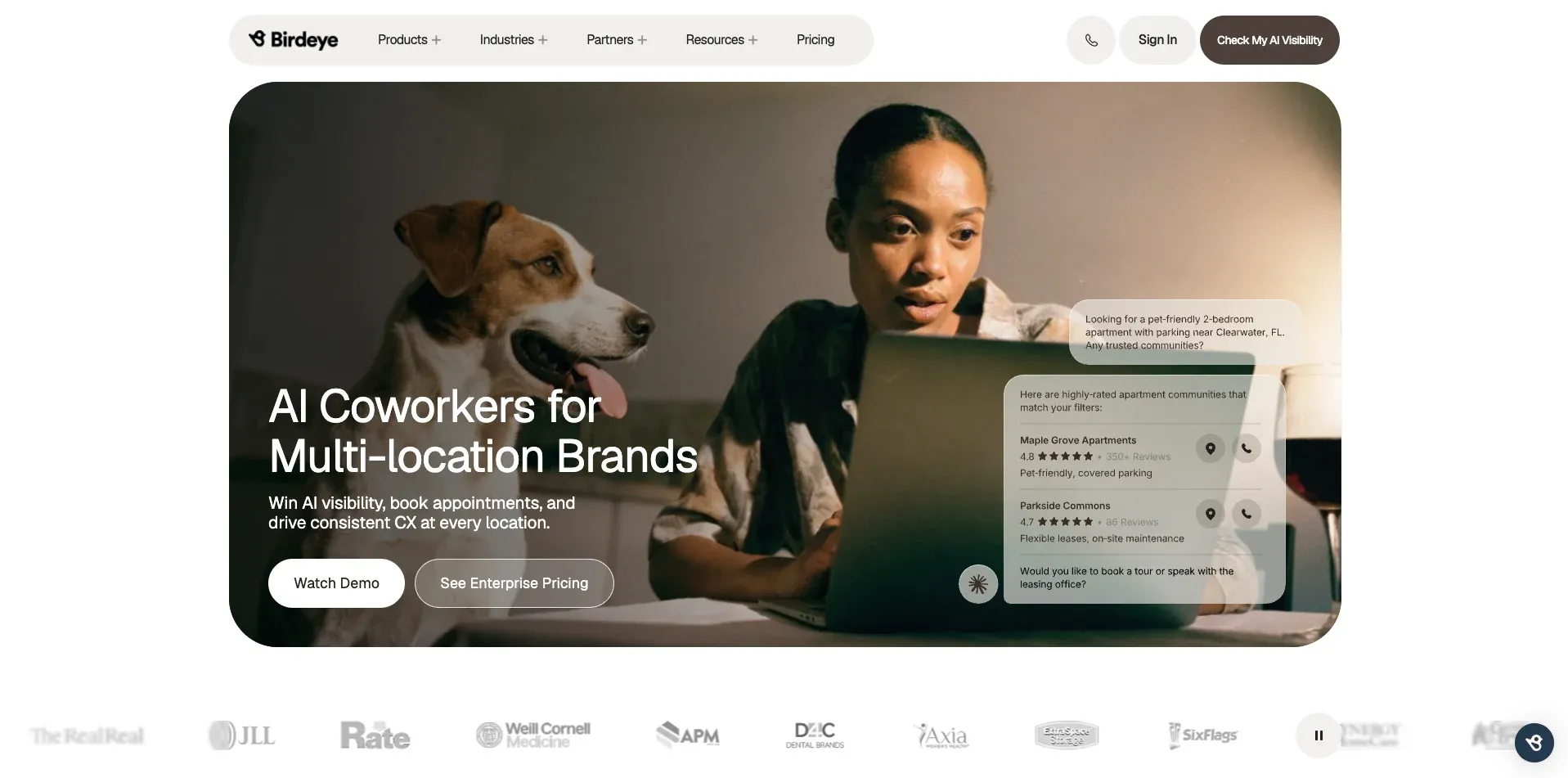
Birdeye is a reputation and customer experience platform built for businesses that manage reviews across many locations, such as healthcare groups, dealerships, and retail chains. Corporate teams get a view of every location in one place, while local managers handle the reviews for their own site.
Location-level dashboards and reporting
Birdeye’s main strength is how it organizes reviews by location. Each location has its own dashboard showing ratings, review volume, and response rates. Regional and corporate teams can roll those numbers up to compare locations side by side.
This helps you spot problems early. If one clinic’s rating drops while the others hold steady, the regional manager can see it in the comparison view and follow up with that site’s team.
Birdeye pulls reviews from Google, Facebook, and industry sites into a single feed. Its review request tools send automated text and email invitations after a visit or purchase, so each location can build its review count without manual follow-up.
Enterprise controls and permissions
Multi-location businesses need to control who can say what in public. Birdeye supports role-based access, so you decide which team members can view, respond to, or approve replies for each location. Tiered approvals let corporate teams review responses to sensitive reviews before they go live.
For regulated industries, Birdeye advertises SSO, audit logs, and support for HIPAA, SOC 2, and GDPR requirements. This matters for healthcare groups that need to protect patient information in review responses.
Birdeye also connects with more than 3,000 tools, including CRMs and practice management systems, so review requests can trigger from the systems your locations already use.
Pricing and scope considerations
Birdeye’s platform covers much more than reviews. It includes messaging, webchat, payments, surveys, and AI agents for customer conversations. Single-location businesses may pay for features they won’t use.
Pricing is quoted per location, so costs grow as you add sites. Ask for a full quote that includes every location and add-on before you sign.
Even with these trade-offs, Birdeye remains a strong choice for businesses that need to manage reviews and responses consistently across many locations.
3. Bazaarvoice: Best for Retail Syndication at Scale
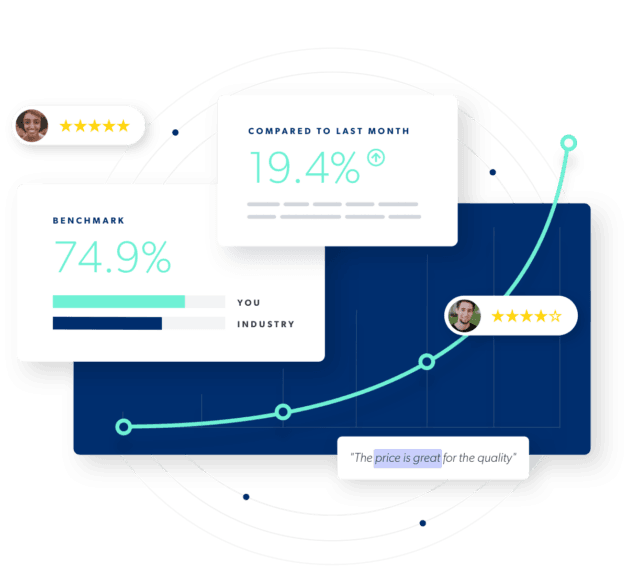
Bazaarvoice stands out as the leader for companies that need powerful review syndication through multiple retail channels. It has a huge syndication network that reaches more customers than any other platform.
Syndication performance across platforms
Bazaarvoice's syndication network size will blow you away. Your brand's reviews can reach more than 2.3 billion shoppers every month (up from 1.3 billion in the last 2 years) on over 2300 global retailer sites. This gives you 20x more shopper traffic than other networks, which means your content gets much more visibility. The platform shared over 325 million reviews from 2,500 brand sites to retailers. This creates a powerful system where customer feedback reaches shoppers wherever they buy.
Forrester's Total Economic Impact study showed these results:
- 400% return on investment over three years
- Money back within three months
- Better conversion rates from 2% to 4% on products with shared reviews
- 5% higher average order values
This review management software really shines when brands sell through multiple retail channels because it makes every review count more.
Reporting and sentiment analysis
Bazaarvoice's Premium Network Insights turn raw customer feedback into useful business information through smart sentiment analysis. The dashboard lets you track performance across retailers, measure against competitors, and analyze customer sentiment.
The system uses advanced machine learning and natural language processing to look at product reviews and find key themes and feelings. It spots common topics in reviews and groups them into clear themes with positive, negative, or neutral ratings.
Bazaarvoice analyzes customer reviews weekly and shows what customers love or hate about your products. You also get practical tips to improve review volume, email performance, and product pages.
The Product Sentiment API stands out because shoppers can filter reviews by specific features they care about. This goes beyond simple star ratings to help them quickly understand what works and what doesn't.
Limitations in Amazon integration
The biggest issue is that Bazaarvoice's syndication works mostly one way—reviews from your site go to retailers, but not the other way around. This means you won't automatically get reviews from other sites into your platform.
Two-way syndication happens rarely and usually only works for huge companies with strong retail partnerships. Michael Kors and Macy's might qualify, but these are special cases.
It doesn't work well with Amazon. Companies hoping to pull Amazon reviews into their main dashboard won't be happy. Amazon's huge role in e-commerce makes this a big problem for brands that sell there.
The contract terms need careful thought. You must give one year's notice to cancel, which could cost you money if your needs change. Their pricing isn't clear either since they bundle services instead of pricing them separately.
Even with these drawbacks, Bazaarvoice remains the best choice for businesses that want wide-scale retail syndication, especially those selling through multiple retail partners outside Amazon.
4. Reviews.io: Best for eCommerce and Video Testimonials
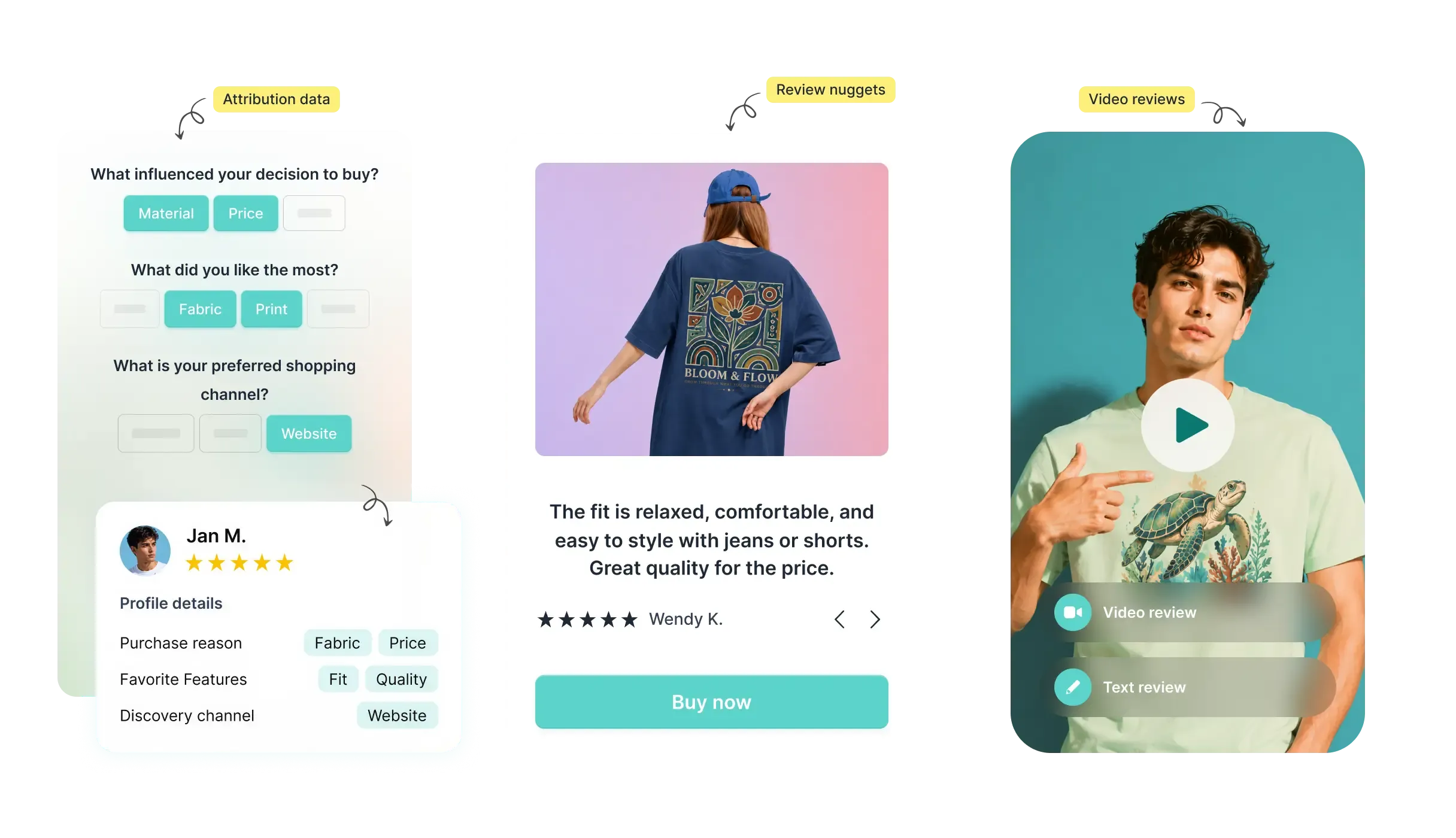
Reviews.io stands out as the best platform for eCommerce businesses that want to use visual social proof. This review management software does an excellent job collecting and displaying video testimonials. It increases conversion rates up to 20% more than standard reviews.
Widget customization and SEO impact
Reviews.io's widget customization capabilities is impressive. The platform gives you lots of flexibility to match review displays with your brand identity. You can customize headers, filters, and review displays by controlling colors, fonts, sizing, and spacing. Your review widgets will complement your site's design instead of looking out of place.
Reviews.io brings substantial SEO benefits to the table. The platform helps you gather more unique content for product pages, which is vital for search visibility. It lets you show both company and product reviews on your website. This reinforces seller ratings that customers see in Google before they click through.
The platform's Google integration proved incredibly valuable. Reviews.io, an official Google Licensed Partner, pushes reviews into Google Search, Shopping, and Ads. Their data shows that displaying stars next to ads boosts click-through rates by up to 17%. This gives substantial benefits to eCommerce brands that invest in paid search.
Video review collection and social proof tools
Reviews.io really shines with its video review capabilities.
Video reviews can boost the likelihood to buy. In fact, 91% consumers are more likely to purchase when they see video and image reviews alongside text.
Their "Video First" feature lets you send personal video invitations to customers. This makes the request more engaging and authentic.
People trust content from real customers 76% more than product descriptions. So with the help of Reviews.io, businesses can create compelling social proof that influences buying decisions.
Reviews.io offers advanced tools to maximize video impact:
- Shoppable UGC galleries turn Instagram posts and user-generated content into browsable product showcases
- Social Proof Editor converts reviews into branded posts and advertisements
- Simple integration with email campaigns through Klaviyo
Reviews.io helps subscription-based businesses trigger review requests at key moments. You can ask for reviews after the third delivery when customers have fully experienced your products.
Email deliverability issues
Google and Yahoo's new sender guidelines in 2024 have affected Reviews.io, like many other platforms. These strict requirements need specific authentication protocols (SPF, DKIM, and DMARC), and businesses can quickly validate their records with EasyDMARC dmarc lookup. They also require spam complaint rates to stay below 0.3%.
You might see lower deliverability rates if you send from Reviews.io's shared domain ([email protected]) instead of your branded domain. The platform suggests using your own domain to boost credibility and ensure emails reach inboxes. This setup requires technical DNS record configuration and might need developer help.
These deliverability issues become critical for businesses sending over 5,000 daily emails. You'll need to meet strict bulk sender requirements. Your review invitation emails might end up in spam folders without proper configuration. This can reduce collection rates significantly.
5. Housecall Pro: Best for Home Services and Automation
Home service professionals often struggle to find the right review management software. Well, Housecall Pro is an excellent solution for plumbing, HVAC, electrical, and cleaning service businesses.
Automated review requests post-service
Housecall Pro's automation lets home service businesses send review requests based on their needs - either when jobs finish or after payment comes through. This allows for greater flexibility in getting feedback at the best moment in the customer experience.
The system works because it keeps things simple. Each request has a direct link that makes leaving feedback quick and easy for customers. You can personalize messages to match your brand's voice, so requests feel authentic and natural.
Review collection doesn't stop with the first message. You can send follow-ups by email or text if customers haven't responded. These reminders do double duty - they boost review numbers and give you a chance to add booking links that bring in repeat business.
Google and Facebook sync
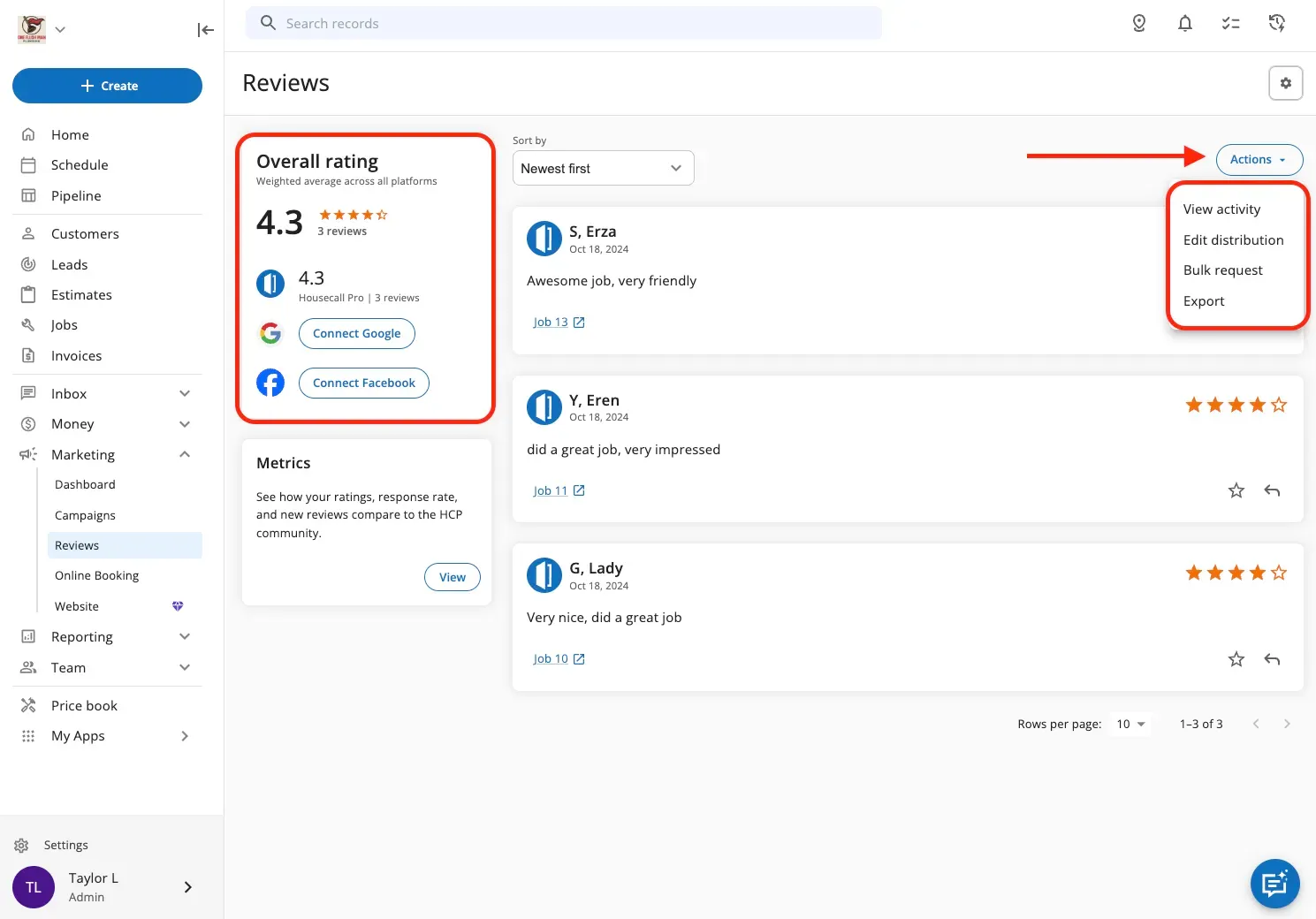
We found one feature really impressive - Housecall Pro's smooth connection with major review platforms. The system links directly to Google Business Profile and Facebook, giving you one dashboard instead of jumping between sites.
Setting everything up was easy. The Marketing tab lets you connect your accounts, and the dashboard shows your current ratings from both platforms right away. This gives you a quick look at your online reputation whenever you need it.
You can respond to reviews right inside Housecall Pro, and your responses show up on both Google and Facebook automatically. This saves time and helps you stay consistent with your communication.
Premium Reviews users get extra options. They can control how review requests are split between platforms (Website, Facebook, or Google), so you can focus on the platforms that matter most to your business.
Industry-specific limitations
Even though Housecall Pro works great for home service businesses, the platform's customization options might not fit businesses with unique service offerings or processes. Tracking certain services can be tricky without custom job status options.
The Google and Facebook integration works well, but you can only connect one Google Business Profile location. This creates problems for businesses running multiple locations that need to manage all their reviews.
Businesses with special billing needs might find the platform's invoicing structure too rigid. Companies using complex pricing models might need to find workarounds.
These limitations aside, Housecall Pro remains our top choice for single-location home service businesses looking to simplify their review collection and management.
6. Sprinklr Social: Best for Enterprise Sentiment Analysis

Large-scale businesses that handle thousands of customer reviews need advanced sentiment analysis capabilities. Sprinklr Social stood out as the best option for big organizations looking to learn about massive volumes of review data.
AI-driven sentiment tracking
Sprinklr's AI technology showed remarkable precision in analyzing customer emotions. The platform makes 10 billion predictions daily with accuracy that hits 80%. The platform reads messages in context and extracts nuanced opinions instead of just flagging keywords.
Sprinklr goes beyond simple positive or negative categorization. The system makes use of advanced deep learning techniques to analyze visual content with 80% accuracy. This combination of text and visual analysis gives a complete picture of customer feelings.
The verticalized AI models proved valuable for specific industry analysis. Sprinklr customizes its models for 20 different industry verticals, unlike generic tools. This ensures you get relevant insights for your business context.
Cross-platform review aggregation
Sprinklr excels at collecting feedback from multiple channels. The platform combines data from over 30 social and digital channels, 400,000+ media sources and 1 billion+ websites. This broad coverage ensures you catch all critical customer insights, whatever platform they appear on.
Our testing showed how Sprinklr's unified dashboard monitors reviews across:
- Major social platforms (Facebook, Instagram, Twitter)
- Industry-specific review sites
- News sources and forums
- Visual content platforms
The united view removed the need for multiple monitoring tools. This saved enterprise teams significant management time.
Learning curve and performance lags
In stark comparison to this, Sprinklr's powerful features come with challenges. The system had a steep learning curve during initial implementation. Users called the interface "complex AF" with a "VERY consumer-based" approach. Team members often asked, "Who would've known to look there?" when searching for specific features.
The system showed performance issues with large data volumes across multiple accounts. Teams needing quick insights felt frustrated when the system lagged during peak usage.
Yet large enterprises that need industrial-strength sentiment analysis will find Sprinklr the premier review management software, despite these limitations.
7. Feefo: Best for Verified Customer Reviews
Trust forms the foundation of online reputation, and Feefo stands out with its unique verification approach. They conduct both AI and human moderation to ensure every review ties back to a real-purchase. Feefo's invite-only platform delivers something rare in today's digital world: genuine, verified customer feedback.
Purchase validation and trust factor
Feefo works differently from open review platforms. The invite-only system allows only customers with verified purchases to leave reviews. This verification process completely eliminates fake reviews—a most important advantage since 70% of consumers trust reviews more when they know they come from verified customers.
Consumer confidence sees a substantial boost. In fact, 50% of consumers tend to trust a brand more if reviews are authenticated by a verification service like Feefo. (Source: YouGov 2023)
This directly affects conversion rates, with shoppers being 15% more likely to buy products with verified feedback compared to anonymous comments, and without fear of astroturfing.
Analytics and trend detection
Feefo's analytics capabilities showcase impressive depth and usability. The platform features user-friendly dashboards with tiles, charts, and data tables that show various levels of analytical depth. These dashboards show key metrics including Service Score, Product Score, Response Rate, and Star Rating Breakdown.
Feefo's AI-driven sentiment analysis makes it unique by:
- Tracking customer sentiment automatically across all reviews
- Organizing reviews into navigable, customizable topics
- Finding specific areas for improvement with trend detection
The sentiment analysis uses advanced AI to spot patterns in customer feedback and saves countless hours of manual review analysis.
Customization limitations
All the same, Feefo has its drawbacks. There are few customization options for review widgets and integrations. Users often report frustrations with the platform's rigid layout options and interface design.
Businesses usually need to make technical adjustments using renamed CSS classes to enable Feefo's optimized widgets. This becomes challenging without developer help. The pricing structure lacks flexibility—starting at £149/month for essential features, plus extra costs for SMS invites, syndication, or full widget customization.
The platform excels at verified review collection and analysis, but businesses that need extensive customization might find its limitations frustrating.
8. EmbedReviews (by EmbedSocial): Best Budget Option for Startups
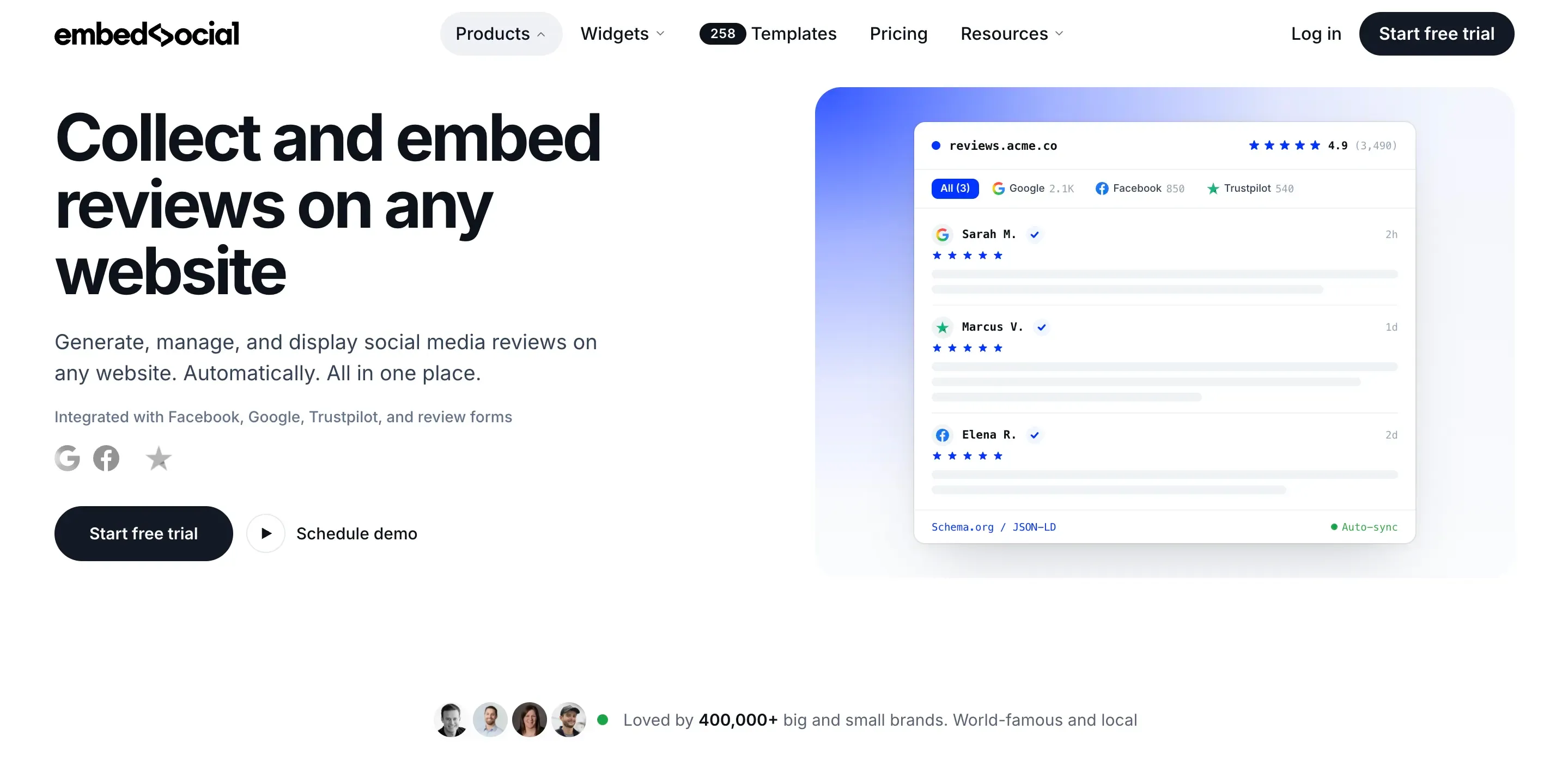
We looked at many high-end options and found that startups and small businesses need affordable solutions that work. EmbedReviews is an excellent budget-friendly review management software that delivers all core features.
Ease of setup and widget design
EmbedReviews is remarkably simple to set up. We created a working widget on our test site within minutes without coding. The platform connects to your Google Business Profile or Facebook page and automatically pulls your reviews. The widgets work with any website builder that supports JavaScript.
The design options impressed us with their flexibility. Different layout themes let you match your brand colors perfectly. You can control every widget element including dates, social media logos, and ratings. The platform also supports custom CSS for developers who want precise styling control.
Non-profit discount
If you're a NPO, its worth checking out since EmbedReviews provides 50% on all plans for non-profits.
Free plan limitations
EmbedReviews has a solid "Free Forever" plan that includes:
- Display of 5 Google reviews
- Web collect form for gathering new reviews
- Custom reviews creation option
- Import capability for reviews from other sources
- Unlimited widgets creation
- Rating badge with average scores
The free plan doesn't include Facebook reviews or multiple sources. Paid plans begin at USD 29.00 monthly for the Pro option, which adds 2 sources and extra features. Small businesses can manage well with the free plan, while growing startups benefit more from the Pro plan (USD 29.00/month) with its additional customization options.
How to choose review management software
Start with where your reviews matter most and how your business runs. A tool that suits an online store can be a poor fit for a clinic with 40 locations.
Match the tool to your situation:
- If you run many locations: Choose a tool with location-level dashboards and permissions, such as Birdeye.
- If you sell products through retailers: Choose a tool with syndication, such as Bazaarvoice.
- If you run an online store: Choose a tool with product reviews, photo and video uploads, and Google seller ratings, such as Reviews.io.
- If you run a home service business: Choose a tool that sends review requests when jobs close, such as Housecall Pro.
- If you need enterprise-scale social listening as well: Choose a platform that combines reviews with social and news monitoring, such as Sprinklr Social.
- If review authenticity matters most: Choose an invite-only platform, such as Feefo.
- If you already survey customers and want reviews in the same place: Choose a tool that connects feedback and reviews, such as SurveySparrow.
- If you mainly need reviews on your website: Start with a widget tool, such as SurveySparrow and EmbedReviews.
Once you have a shortlist, check these four points before you sign.
1. Supported review sites. List the sites where your customers actually leave reviews, including industry sites such as Healthgrades for clinics or TripAdvisor for hotels. Confirm the tool can pull reviews from each one and, where possible, let you reply from the dashboard. Some tools can display reviews from a site but can't post replies to it.
2. Response workflow. Check who can reply, how reviews get assigned, and whether you can set approval rules. A multi-location brand may want location managers to answer positive reviews directly, while negative reviews go to a regional lead first.
3. Review request channels and timing. Look at how requests go out (email, SMS, QR code) and what triggers them. The best trigger depends on your business. A delivery confirmation suits ecommerce, while a closed job or completed payment suits service businesses.
4. Total cost. Ask whether pricing is per location, per product, per user, or per review request. Then estimate the cost at your current size and at the size you expect in two years. Per-location pricing can be affordable at five sites and expensive at fifty.
Run a short trial or demo with your real review data where you can. Seeing your own reviews in the dashboard will tell you plenty.
Review rules to know before you collect reviews
Review requests are covered by consumer protection laws and by the policies of each review site. Your software settings need to follow both, because a feature that's allowed by the tool can still break a platform's rules.
The FTC rule on consumer reviews (US)
The FTC's rule on consumer reviews and testimonials took effect in October 2024. It allows the FTC to seek civil penalties against businesses that knowingly break it. The rule prohibits:
- Fake reviews, including reviews from people who never used the product or service, and AI-generated reviews that misrepresent a real customer experience.
- Paying for positive reviews. You can offer an incentive for a review, but the incentive can't depend on the review being positive.
- Undisclosed insider reviews from employees, owners, or their relatives.
- Review suppression, such as threatening customers or using intimidation to stop negative reviews.
- Misrepresenting a review site you control as an independent source of reviews.
Google's policy on review gating
Review gating means asking only satisfied customers to leave a public review. Google's review policies prohibit it, along with discouraging negative reviews.
This affects how you use routing features in review software. A common workflow sends a short survey first, then directs customers based on their score. To stay within the rules:
- Ask every customer for a review, whatever score they gave.
- Route unhappy customers to your team for follow-up, but still give them the option to leave a public review.
- Avoid filtering who receives the review link based on their rating.
Rules outside the US
If you collect reviews from customers in other regions, check local rules as well. The EU requires businesses that publish reviews to explain whether and how they verify them. The UK's Digital Markets, Competition and Consumers Act also bans fake reviews and the concealment of incentivized ones.
Practical checklist
Before you launch review requests, confirm that:
- Every customer in the trigger group receives the same review request.
- Any incentive is offered for leaving a review, regardless of its rating.
- Employees and their families either don't review your business or clearly disclose their connection.
- Your team responds to negative reviews publicly and professionally, without pressuring customers to remove them.
- Your software's routing settings don't block unhappy customers from posting publicly.
*This section covers general guidance. Talk to your legal team about how these rules apply to your business.
Concluding Thoughts
Our 90-day testing of these platforms in different business environments showed the differences that affect their suitability for specific business needs. The right review management solution depends on your unique requirements.
SurveySparrow delivers exceptional results with its chat-like interface and AI automation for businesses that want conversational engagement. Retail brands distributing products through multiple channels should look at Bazaarvoice, though it has Amazon integration limitations. The platform reaches 2.3 billion shoppers monthly through its syndication network - a number competitors can't match.
Quality review management software creates undeniable financial results. Companies using these tools saw revenue jump up to 35%, while products with syndicated reviews doubled conversion rates. Quick response times improved customer satisfaction metrics on all platforms.
Pick a platform that lines up with your business model, customer interaction style, and growth goals. Your review management strategy will then drive both reputation and real business results.
Leave your online reputation efforts to SurveySparrow
A personalized walkthrough by our experts. No strings attached!